Checkout App

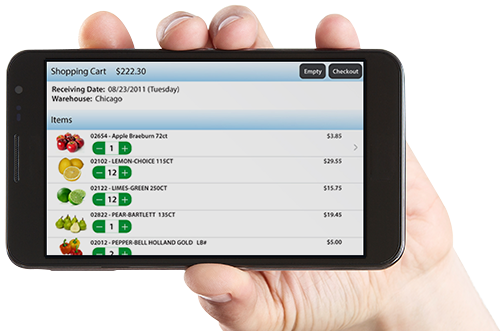
Put a 24/7 Online Store at Your Customers’ Fingertips.
The Checkout App lets your customers place orders whenever and wherever they choose. Designed for ease and portability, it’ll extend your reach beyond traditional E-commerce and manual ordering methods.
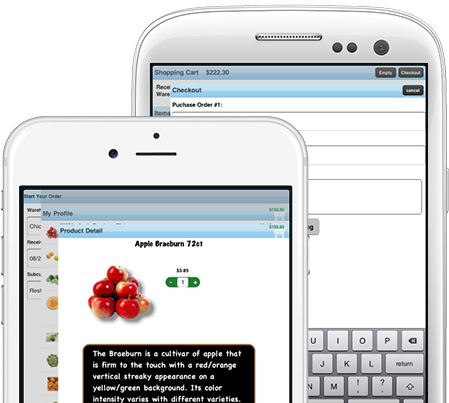

Personalized Branding
The app is rebranded specifically for your company, with your own logo. Your customers download it directly from the appropriate app marketplace for their mobile device — there’s no complicated install process.
Simple Interface
Each customer sees their own prices, order profiles, and delivery date specifications. All of the background data comes directly from Produce Pro, and orders are transmitted to the system in real time.


Profiles
For shopping ease, the “My Profile” screen lists items each customer frequently orders. They can choose to buy directly from this screen, browse or search your full catalog, or take advantage of special promotions..
Shopping Cart
The Shopping Cart summarizes the customer’s order details before they check out, so they’ll catch errors, add any last-minute buys, and shop with confidence.

Clients Using our App



"We receive up to 200 orders per day through our website. We estimate that our e-commerce module equates to about one and a half customer service representatives."
Piazza Produce